> For the complete documentation index, see [llms.txt](https://whitepaper.octopeeps.com/llms.txt). Markdown versions of documentation pages are available by appending `.md` to page URLs; this page is available as [Markdown](https://whitepaper.octopeeps.com/lost-toys-quest/lost-toys-quest-prime.md).
# 👑 Lost Toys Quest Prime
## Upgrade your `@Lite List` role to `@Prime List`!
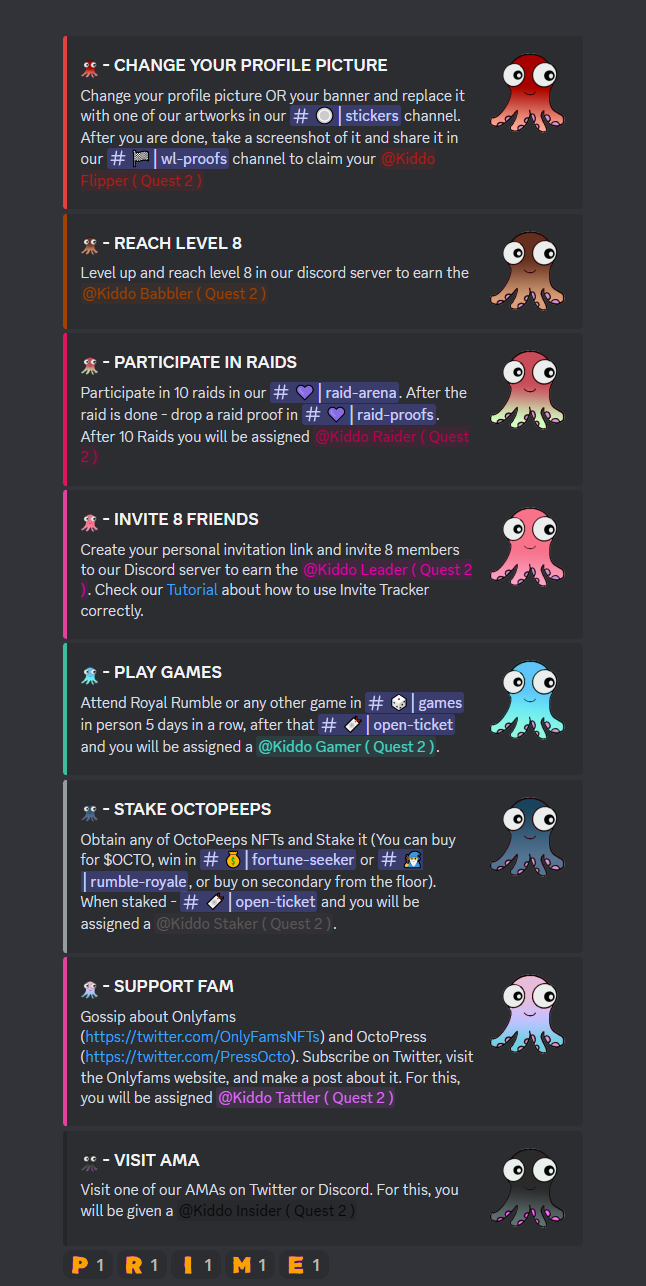
All the owners of the `@Lite List` role can upgrade it to the `@Prime List` thus getting the right to mint for 8 $MATIC + BOGO (Buy One - Get One) just completing the second part of the **Lost Toys Quest** which consists of 8 bit more complicated tasks.
## The Golden key to the toy chest (Quest item).
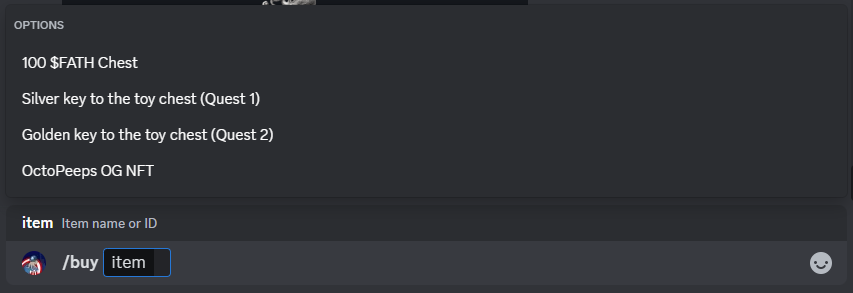
Only one task can be skipped here buying the Golden key to the toy chest for 50k $OCTO.
To get the key use **OctoPeeps Capitan** bot `/buy` command and choose the corresponding item in drop-up menu:
You can buy the **Golden key** at the very beginning of your journey or closer to its end - it does not really matter - but you can buy this item only once.
When collecting all 8 items or 7 + **Golden key** please go to # **🎫┊open-ticket** channel in our Discord and open a support ticket. We will check everything out and send you the `@Prime List` [role NFT](/lost-toys-quest/wl-roles-nfts.md) to be able to create a snapshot before [**PRIME MINT**](broken://pages/6lmPfL0jcMxfq0vGIZSE) phase.